Unlock Multi Frame Gen on RTX 40-series cards
 James Whitfield
3 min read
James Whitfield
3 min read

Nvidia's Multi Frame Generation technology, which uses AI to synthesize up to five frames between each rendered frame, launched officially on RTX 50-series graphics cards in early 2025. However, the feature remains inaccessible on the older RTX 40-series lineup through standard means—a limitation that stems from hardware design differences between the two generations. The RTX 50-series includes dedicated silicon specifically engineered for frame generation tasks, including an AI Management Processor and Flip Metering technology that the RTX 40-series architecture lacks. Despite this intentional restriction, workarounds exist for users willing to experiment with unofficial software modifications.
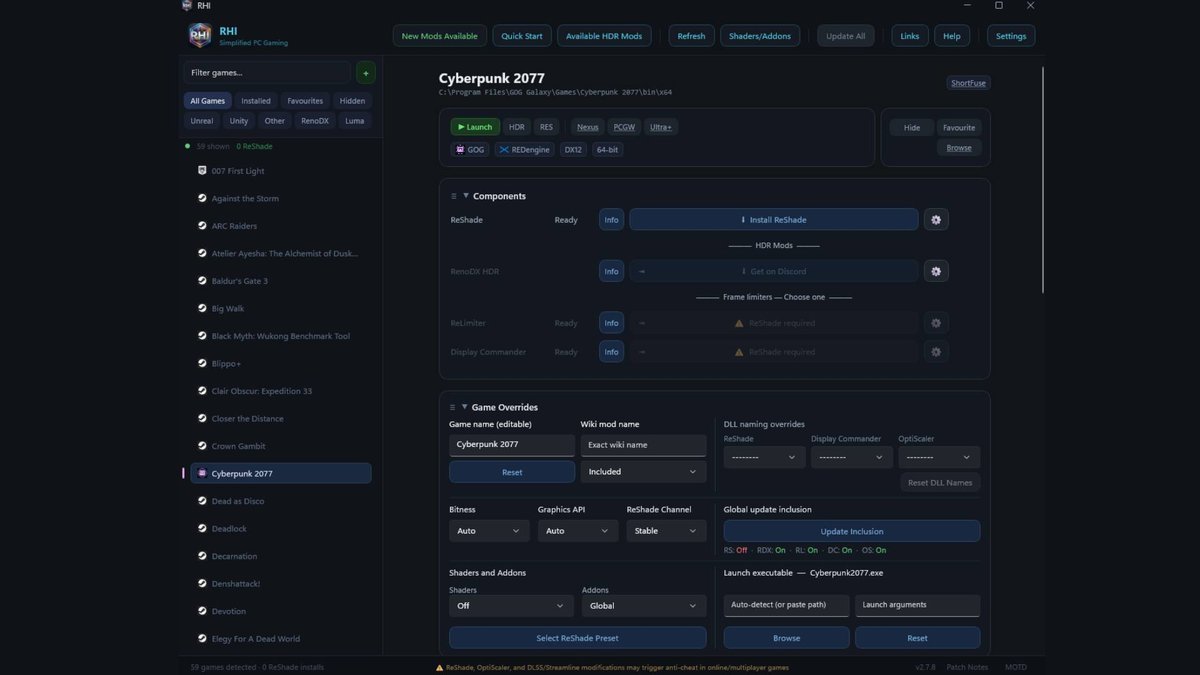
The process involves downloading and configuring the ReShade HDR Installer, a community tool that automates the installation of unofficial mods and post-processing enhancements. Before beginning, users should verify that their target game appears on Nvidia's official list of Multi Frame Generation-compatible titles. Single-player games are recommended for testing, as the modifications can trigger anti-cheat detection systems in online multiplayer environments.
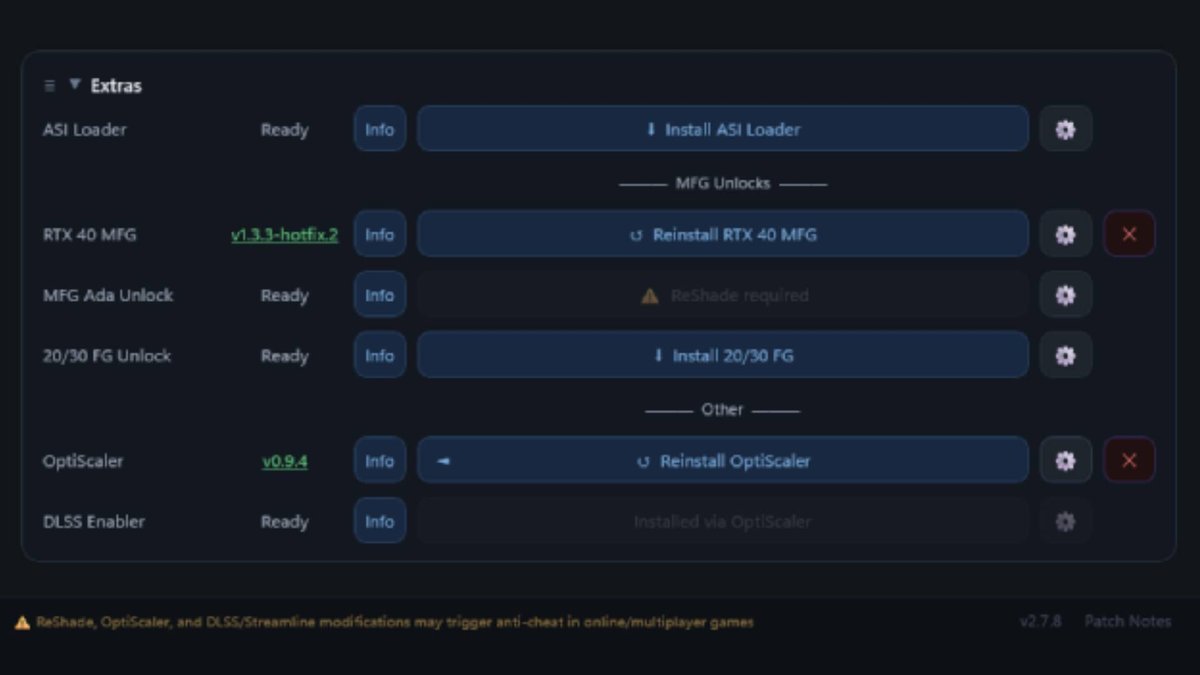
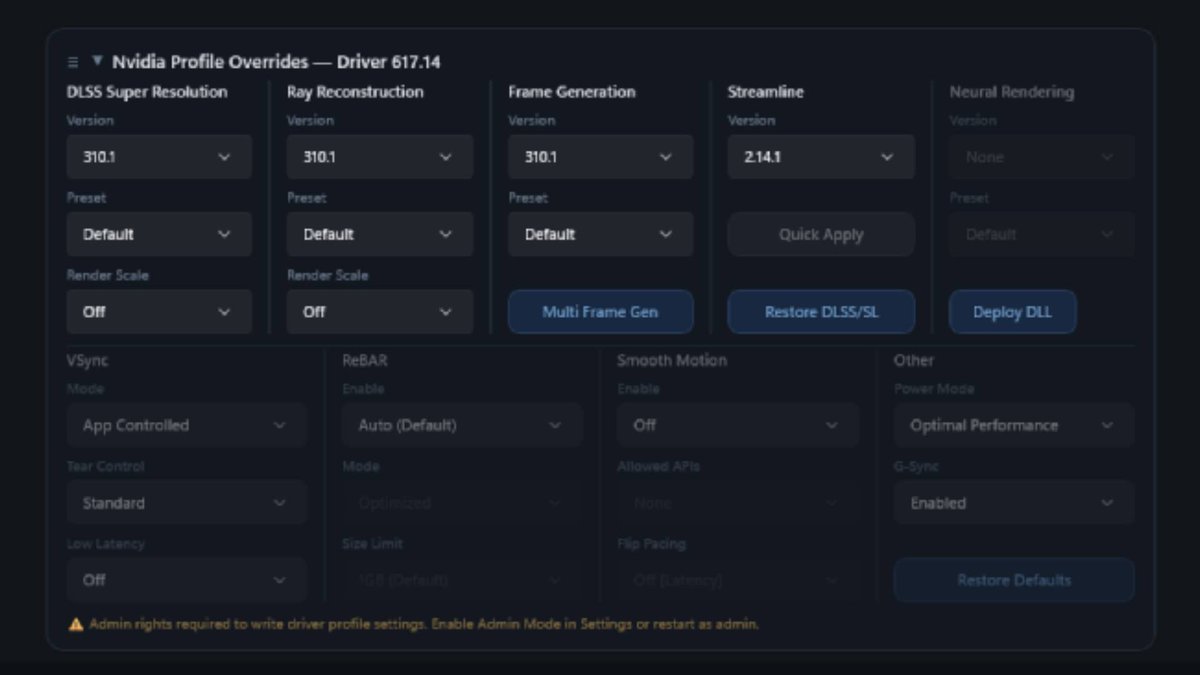
Once the ReShade HDR Installer launches, it automatically imports installed games from the user's system. After selecting a compatible game from the left panel, users navigate to the bottom of the options list and install two specific mods: "RTX 40 MFG" and "OptiScaler." These installations typically complete within seconds. The next step involves scrolling back to the top of the interface and locating the "Nvidia Profile Overrides" section, then clicking the blue "Multi Frame Generation" button.
A dialog box will appear warning that Multi Frame Generation is only officially supported on RTX 50-series cards. Clicking "OK" opens a configuration window with three dropdown menus. Users should set the first dropdown to "Dynamic," the second to "Up to 4x," and the third (Target Frame Rate) to "Off." In some cases, users may need to experiment with different driver versions available within the installer if the initial configuration doesn't work properly.



After completing these steps, launching the game and adjusting in-game frame generation settings should activate the feature. Not all games offer explicit 4x Multi Frame Generation options in their menus, so users can verify activation using the FrameView overlay application. The entire process remains unsupported by Nvidia and carries important caveats: the RTX 40-series lacks the specialized hardware that makes frame generation smooth on newer cards, and enabling higher frame generation levels can introduce visual artifacts and latency issues even when frame rates appear high.
Nvidia CEO Jensen Huang has previously acknowledged that bringing advanced AI technology to older GPU architectures would require significant engineering effort, explaining the company's decision to restrict the feature. The technology itself remains imperfect—synthetic frames can appear smeared, and latency problems persist even with frame rate limiters enabled. The smoothness gains may vary dramatically depending on the specific game being played.
Despite these limitations, users seeking to experiment with Multi Frame Generation on RTX 40-series cards have a viable path forward through community-developed tools. Success depends on patience with the configuration process, willingness to troubleshoot potential driver compatibility issues, and realistic expectations about the quality and performance gains. Those considering the modification should understand they're operating outside Nvidia's supported ecosystem and accept the technical compromises that come with running frame generation on hardware not specifically designed for the task.