Blood of Dawnwalker: Expanding Your Inventory
 James Whitfield
3 min read
James Whitfield
3 min read
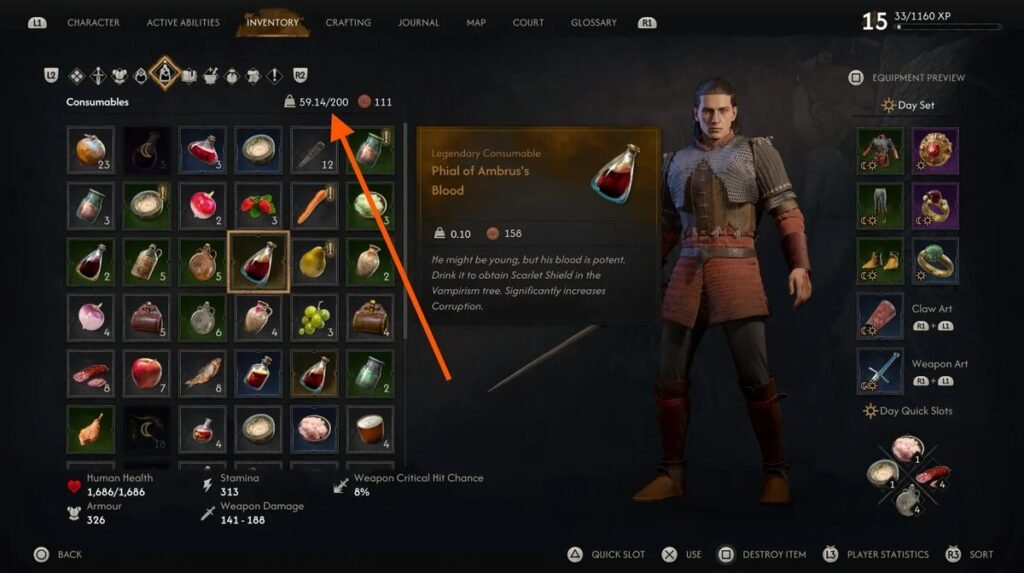
Blood of Dawnwalker imposes weight restrictions on items you carry, forcing players to manage their inventory carefully. Every piece of equipment, weapon, and crafting material contributes to your total load, and exceeding your limit results in an encumbered status that impacts gameplay. Understanding how to expand your carrying capacity is essential for collecting gear and resources without constant inventory juggling.
You begin the game with a 200-unit carry weight limit, which sounds substantial but fills quickly when gathering heavy armor sets, legendary weapons, and crafting components. To monitor your current situation, open the Equipment tab to see two values: your total inventory weight and your maximum capacity. This simple check helps you understand how close you are to becoming overloaded.
The primary method for increasing carry capacity is unlocking the Pack Mule skill from the Swordsmanship skill tree. This ability offers three successive levels that boost your limit by 30, 60, and 100 units respectively. The highest tier also reduces one penalty associated with being overweight. Obtaining all three levels requires collecting skill manuals, spending 4 skill points total, and investing 3 time segments. This progression system rewards exploration and planning as you work toward expanded carrying power.
If you prefer managing your current limit rather than expanding it, several practical strategies help reduce weight. Focus on carrying only two complete gear sets—one optimized for daytime and another for nighttime use—rather than hoarding multiple armor pieces and weapons. Heavy armor and full-size swords represent the bulkiest items, so rotating between two loadouts prevents excess weight. Common crafting materials accumulate quickly; prioritize rare, epic, and legendary components instead, as common materials are easier to reacquire or purchase from merchants later.
The shrine stash system provides the most effective weight management solution. Accessible through the shrine menu, this storage allows you to deposit items you want to keep but don't need immediately. Regularly transferring excess gear to stash storage keeps your active inventory lean while preserving valuable equipment. Additionally, visit merchants frequently—especially different traders—to sell items you're confident you won't use. This prevents draining a single vendor's coin supply while generating funds for upgrades. Reserve the dismantle function only for random junk items; selling is almost always preferable.
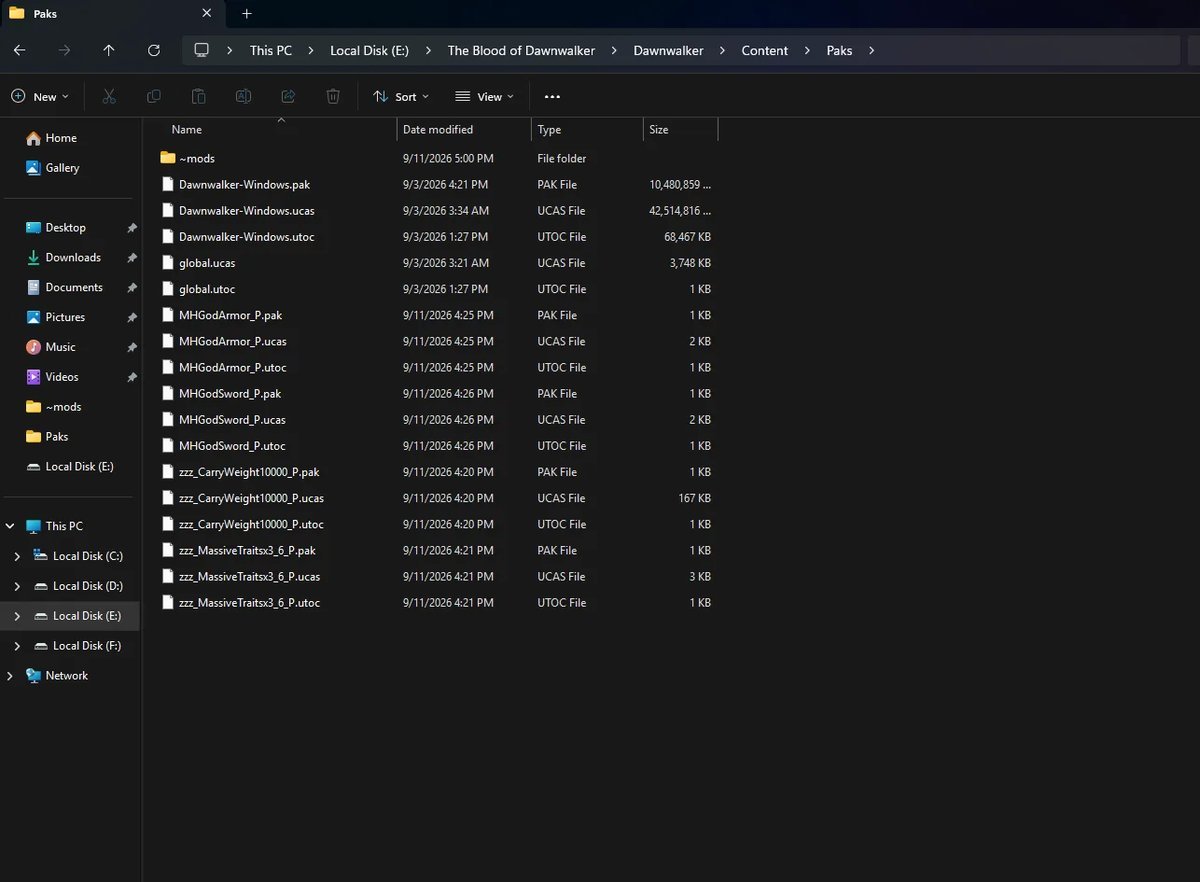
For players who want to bypass inventory management entirely, modding offers a straightforward solution. The "Massive Carry Capacity" mod increases your limit from 200 to 10,000 units, effectively eliminating weight concerns. Installation requires minimal technical knowledge: download the mod file from Nexus Mods, extract it, and copy the .pak file into your game's Paks folder. Navigate to The Blood of Dawnwalker installation directory through Steam (right-click the game, select Manage, then Browse Local Files), then paste the mod into the Dawnwalker\Content\Paks directory. No additional folder creation is necessary. This drag-and-drop approach makes modding accessible even for beginners unfamiliar with mod installation.
Whether you pursue skill upgrades, optimize your gear rotation, utilize shrine storage, or embrace modding, multiple paths exist to overcome Blood of Dawnwalker's inventory constraints. Your approach depends on playstyle preference—those enjoying resource management will find satisfaction in strategic carrying decisions, while others may prefer removing the limitation entirely through mods.